

Skip to content
Coparency
Messaging

Messages that read well in any room.

Every message you send on Coparency is coached, screened, and organized. The result: a record you'd be proud to read aloud — in your living room, your lawyer's office, or a courtroom.

Also on
Download on the App StoreGet it on Google Play
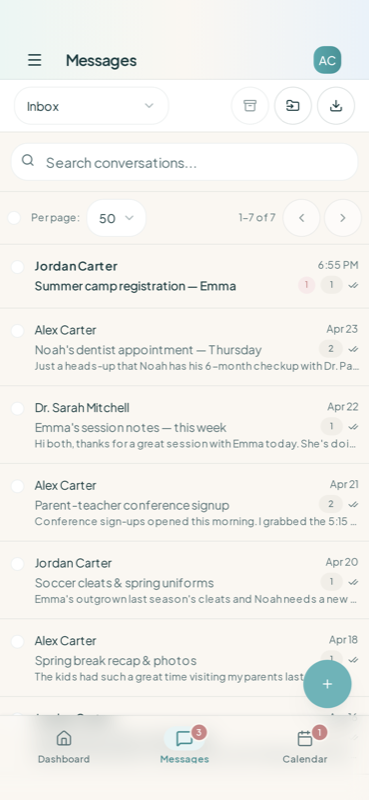
Coparency messages inbox on iPhone — conversations with a co-parent and a professional
Compose

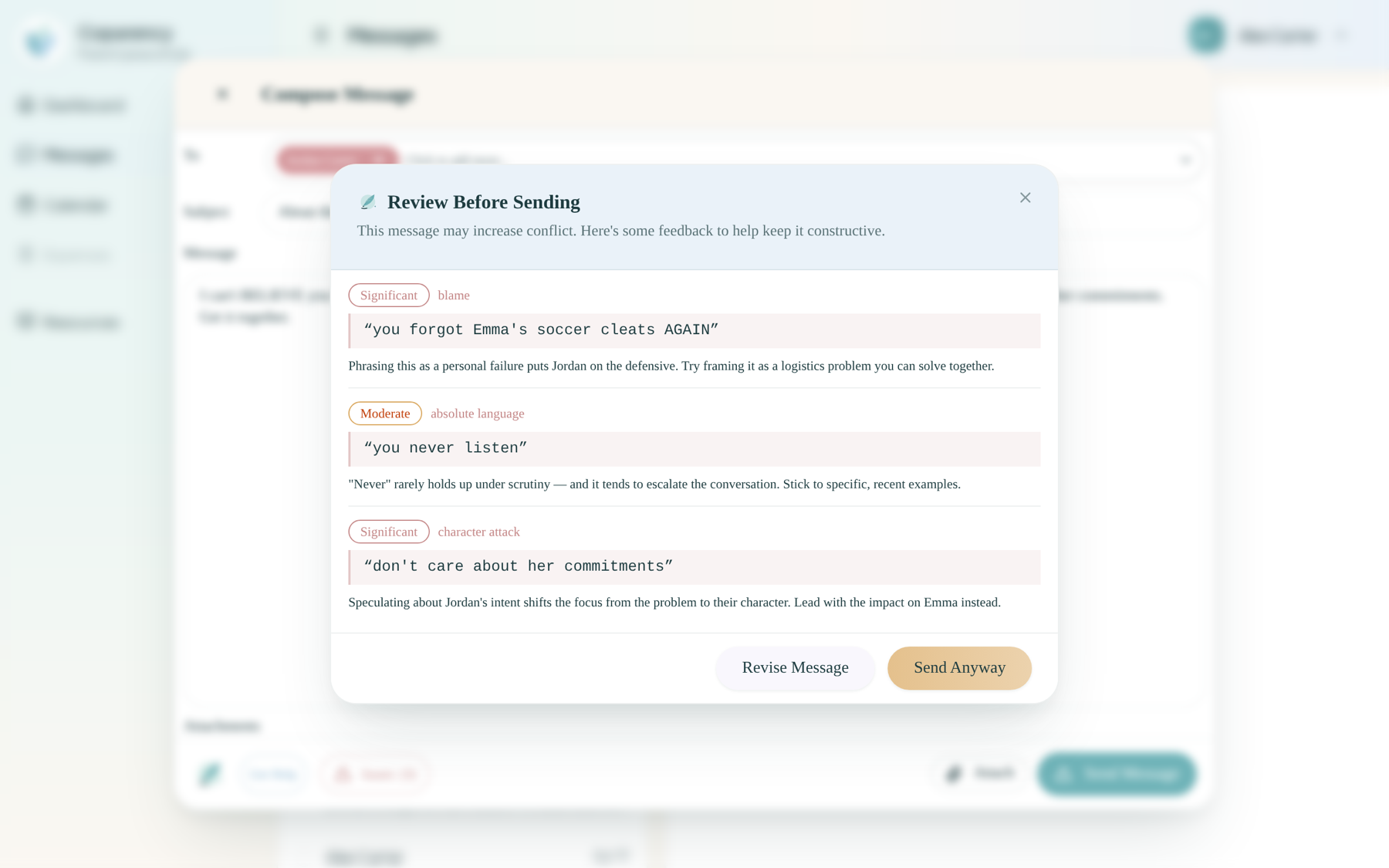
Tone analysis before you hit send.

Coparency reads what you're drafting and gently flags language that might escalate — not to judge you, but to give you one more chance to choose calm. You decide what to change; we just make it easy to see.

  • Live tone indicator as you type
  • Highlights emotionally charged words in context
  • Calm-before-send prompt on heated drafts
  • Works on web, iOS, and Android
Review Before Sending dialog flagging phrases that may escalate, with options to revise or send
Coaching

Four styles, one steady voice.

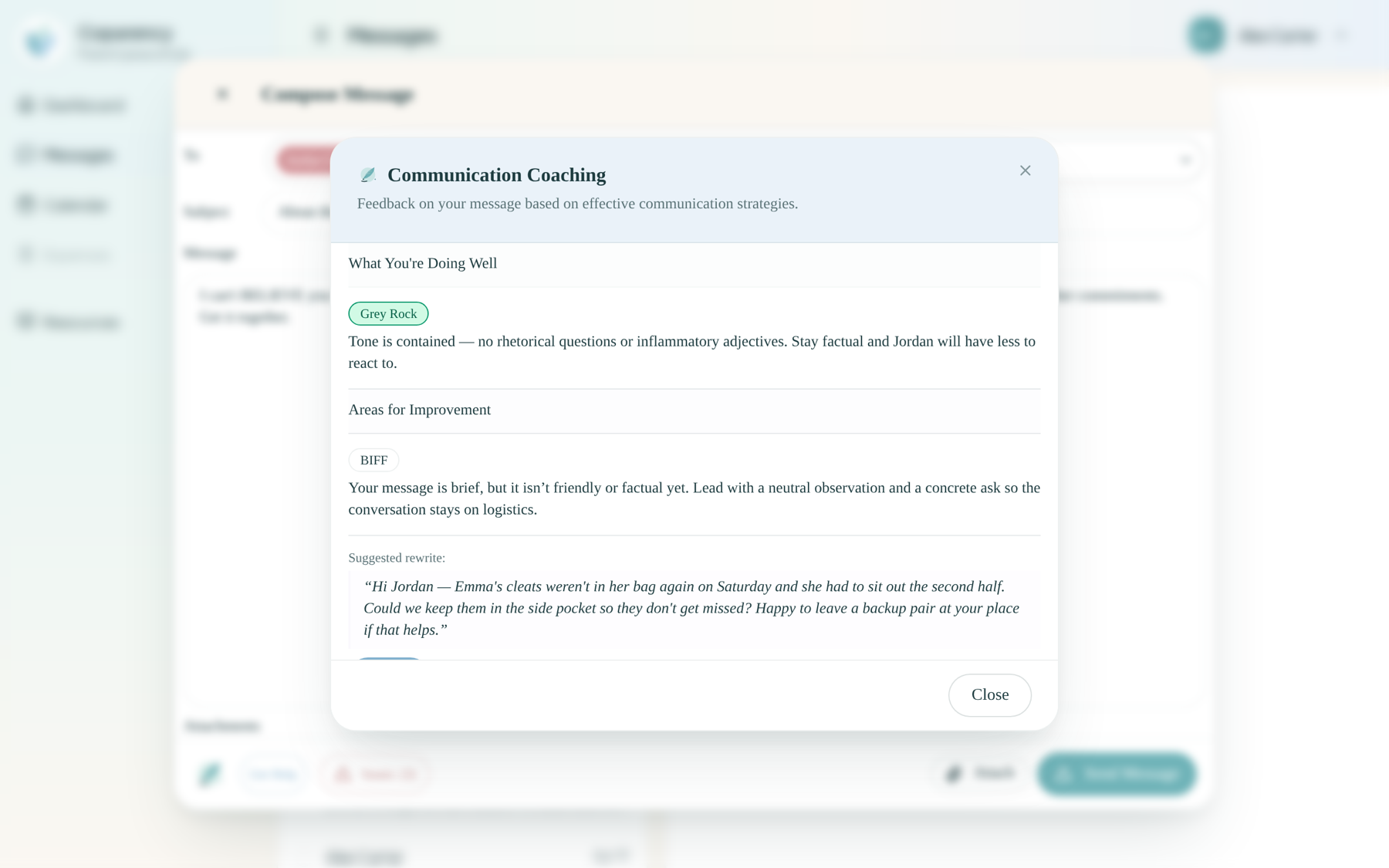
Choose from four evidence-based communication styles — BIFF, Grey Rock, Strategic, and On-topic. Coparency offers rewrites in the style you pick, preserving your voice and intent.

  • BIFF — Brief, Informative, Friendly, Firm
  • Grey Rock — minimize emotional surface area
  • Strategic — language that reads well in court
  • On-topic — keeps the focus on the kids
Communication Coaching dialog showing tone analysis and a Grey-Rock-style suggested rewrite
Protect

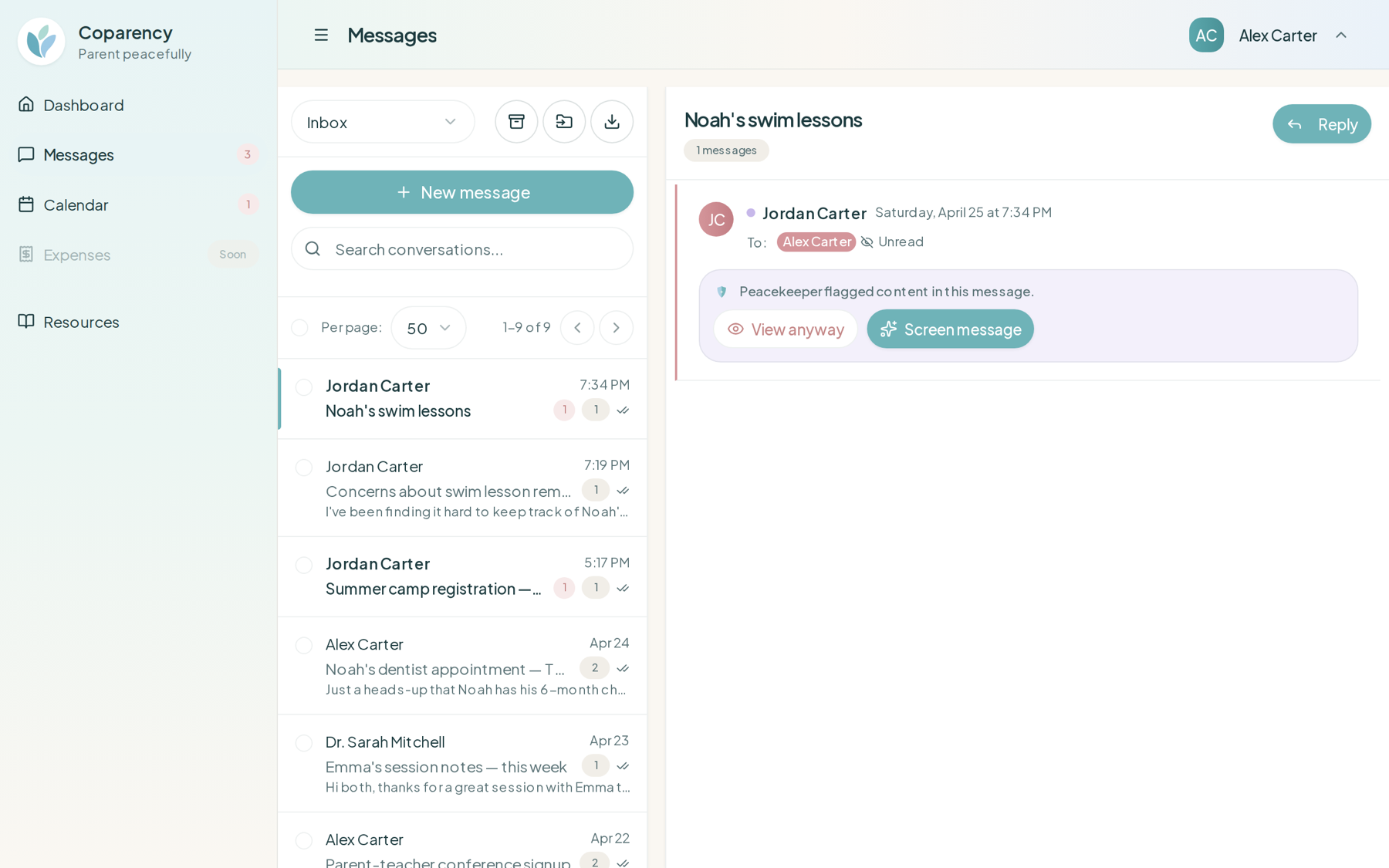
Screen incoming messages for hostility.

Every message coming in is analyzed for hostility, urgency, and topic — so you can walk into the thread prepared. Nothing is hidden from you; Peacekeeper just hands you context before the emotional weight lands.

  • Hostility and escalation detection on incoming messages
  • Urgency classification — urgent messages cut through Calm Delivery
  • Automatic topic categorization (logistics, schedule, finance, kids, medical)
  • Optional content previews hidden until you're ready
Inbox view with a hostile incoming message intercepted by Peacekeeper
Calm Delivery

You set the notification rhythm.

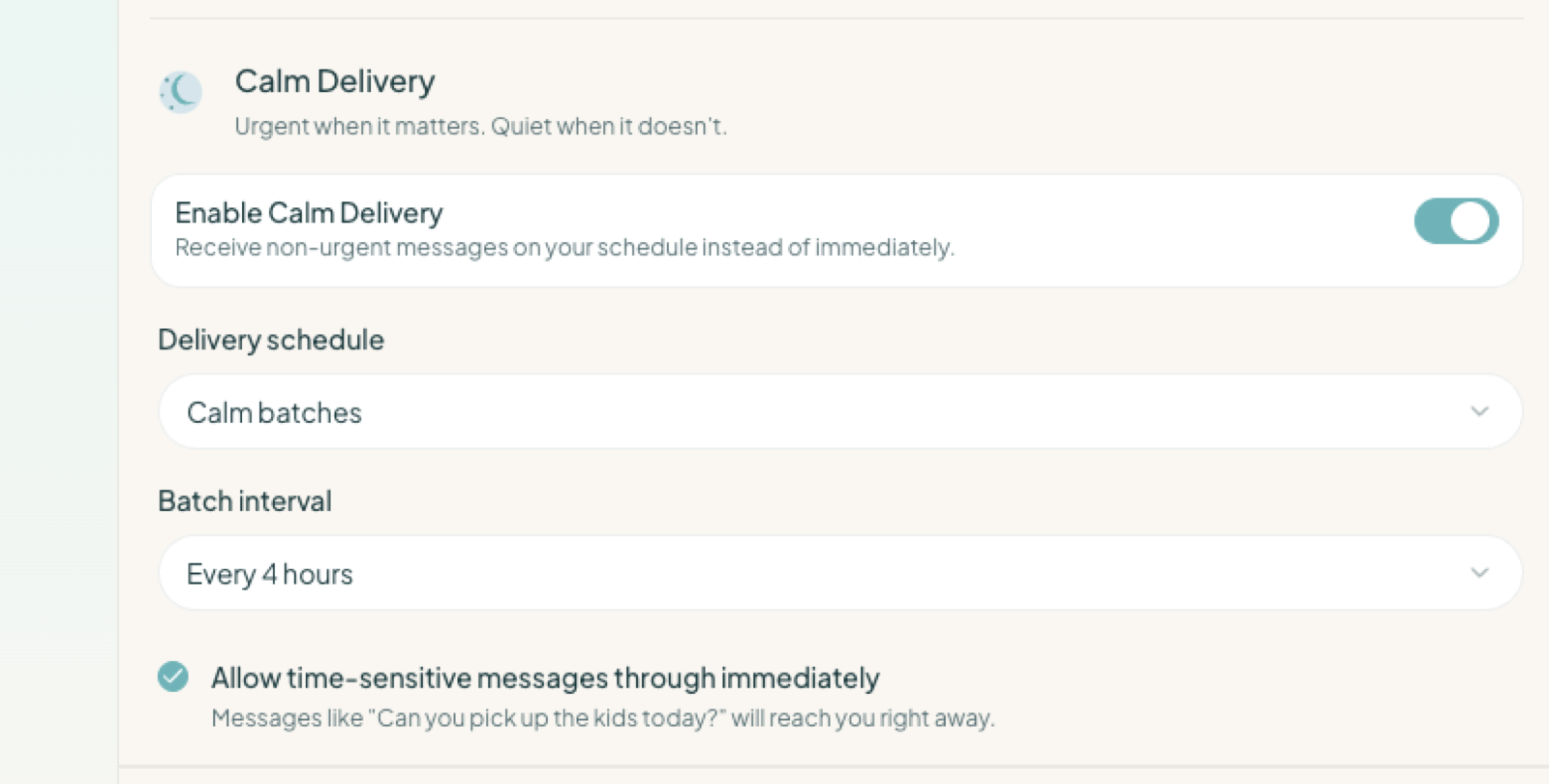
Receive messages in batches — hourly, twice a day, or a weekly digest — so your phone stops pulling you out of your life. Set quiet hours, choose which updates reach you at all, and let urgent messages still come through right away.

  • Choose batched delivery — hourly, a daily digest, or weekly
  • Quiet hours that only urgent messages can cross
  • Decide which updates arrive instantly and which wait for your batch — messages, calendar, expenses, and more
  • Add optional email notifications, including a digest, as a second channel
Calm Delivery settings panel — enable toggle, batch schedule, and a time-sensitive override
Records

An immutable record, always yours.

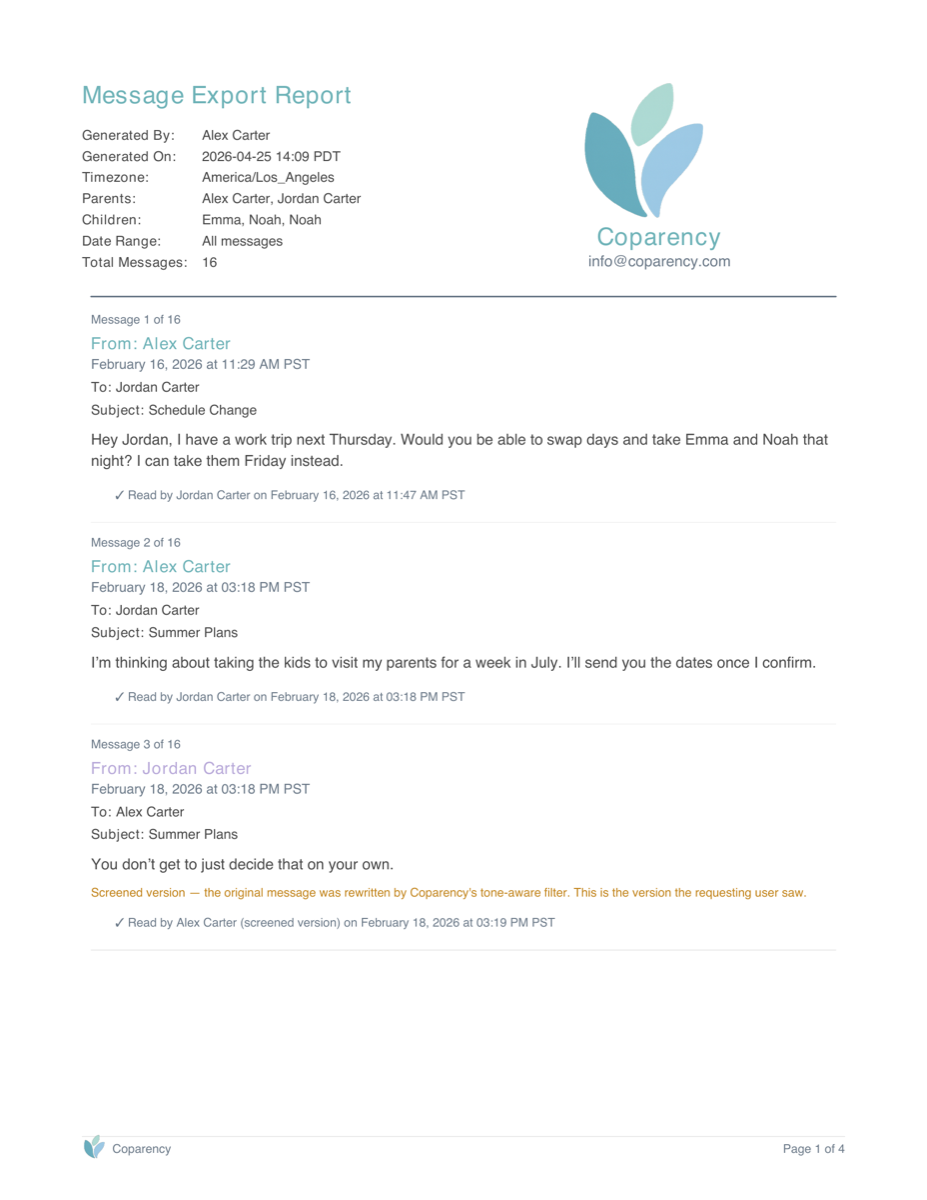
Every message is logged with read receipts and timestamps, and can’t be edited or altered once sent — then exported for legal or professional review. You own your communication history.

  • Locked once sent — no party can edit or alter a message
  • Read receipts and timestamps on every message
  • Exportable transcripts for professionals
  • Search and filter by topic, tone, or date
Coparency Message Export Report — first page showing parents, children, date range, and the first three messages with timestamps and read receipts
Screening examples

What was written vs. what arrives.

Hostile incoming messages are rewritten into their neutral, useful core before they reach you. The original is always preserved — time-stamped, unedited, and exportable if you ever need it.

Original — saved to the record

You never remember to pack their lunches. The kids were starving at school. I need you to actually pay attention for once.

Screened — what arrives

The kids didn't have lunches packed today. Please remember to include lunches when they're with you.

The blame and the "never" are gone. The fact and the request survive.

Original — saved to the record

I can't believe you forgot AGAIN. Anyway, can you pick up Emma at 3pm tomorrow from soccer?

Screened — what arrives

Can you pick up Emma at 3pm tomorrow from soccer?

The jab disappears; the question still gets asked — and answered.

All examples come from the scenario library we use to build and test Peacekeeper — never from real families' messages.

Coaching styles

Four voices that keep you steady.

Choose the style that fits the moment. Coparency coaches you through each one with real-time rewrite suggestions — not generic templates.

BIFF

Brief. Informative. Friendly. Firm.

A classic high-conflict communication framework. Coparency suggests rewrites that stay focused, civil, and free of emotional reactivity.

Grey Rock

Minimize emotional surface area.

Respond in a way that gives nothing to push against — neutral, factual, and unprovokable — while still answering what matters.

Strategic

Reads well in a courtroom.

Coaches language that documents reality clearly, avoids inflammatory framing, and holds up if this message is ever read aloud by a judge.

On-topic

Kids at the center.

Keeps the conversation focused on the children — drifting away from rehashing the past or personal disputes, back toward logistics and care.

Questions

Frequently asked questions

Send messages you're proud of.

Coaching, screening, and Calm Delivery — included from your first message.

Download on the App StoreGet it on Google Play