
Shared expenses, settled fairly.
Log expenses, apply the split rules from your parenting plan, and see at a glance who owes whom. Both parents working from the same numbers — no more "didn't I already pay for that?".


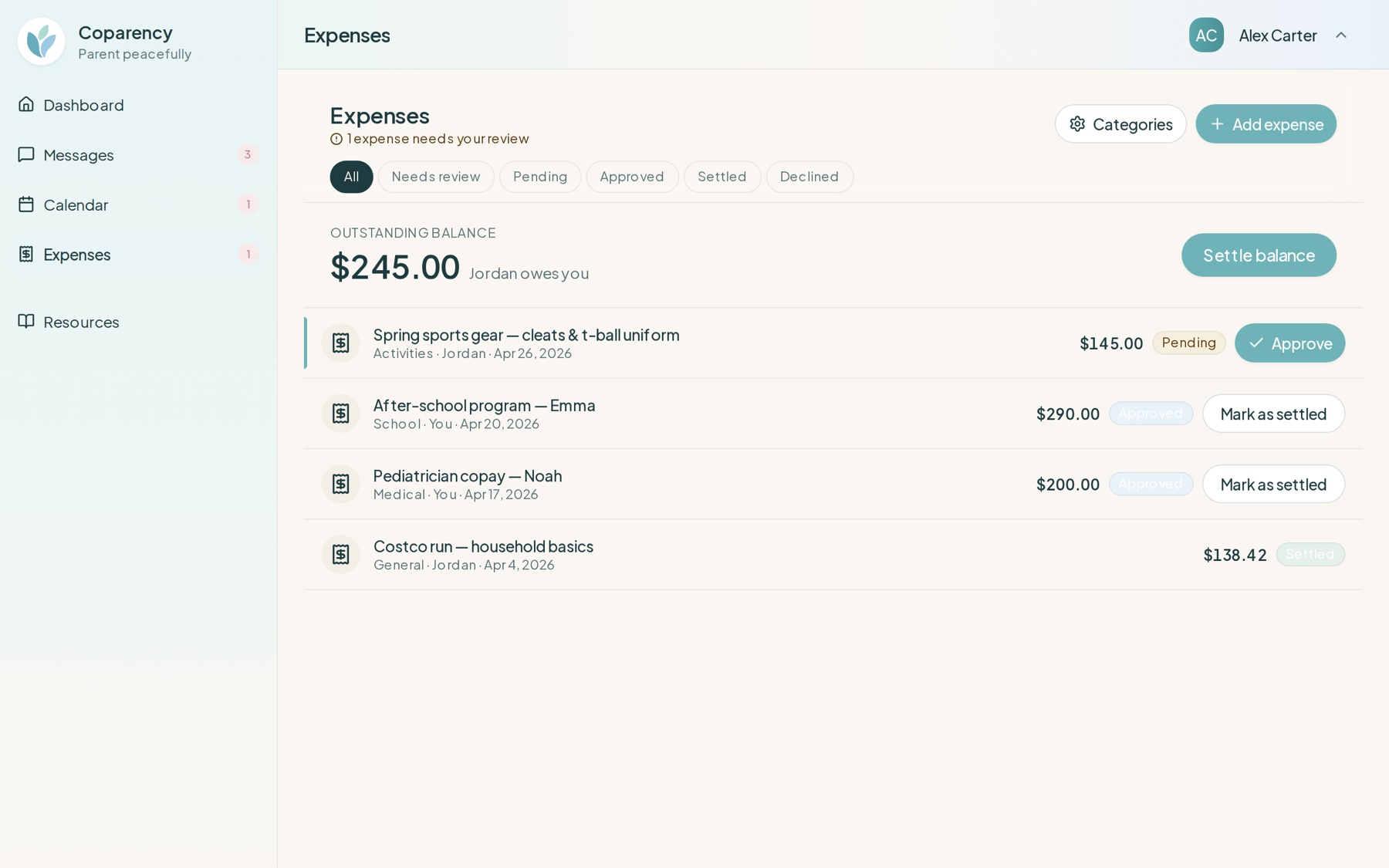
Set sharing rules once.
Your parenting plan probably says things like "medical split 60/40" or "extracurriculars shared equally with pre-approval." Encode those rules once, and Coparency applies them every time.
- Per-category split percentages (medical, education, extracurriculars, other)
- Pre-approval thresholds and required documentation
- Rules per child or across the whole household
- Amend rules with a timestamped change log
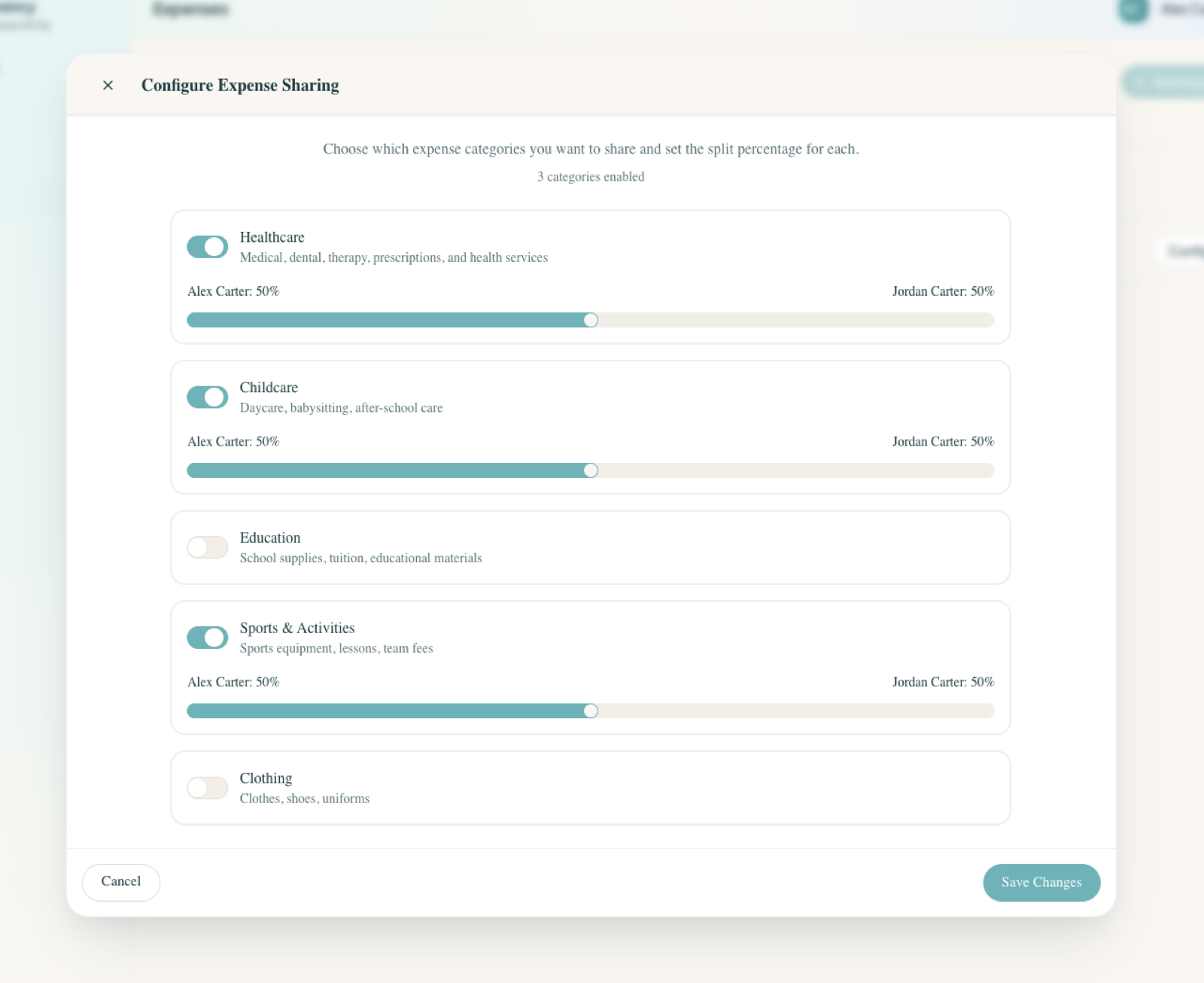
Add an expense, see it split fairly.
Pick a category and Coparency applies your split rules automatically. Add a note or photo for context if it helps — both parents see the same entry the moment you save it.
- Quick entry from web, iOS, or Android
- Optional photos and notes for context
- Splits applied automatically based on your rules
- Both parents notified the moment an expense is logged
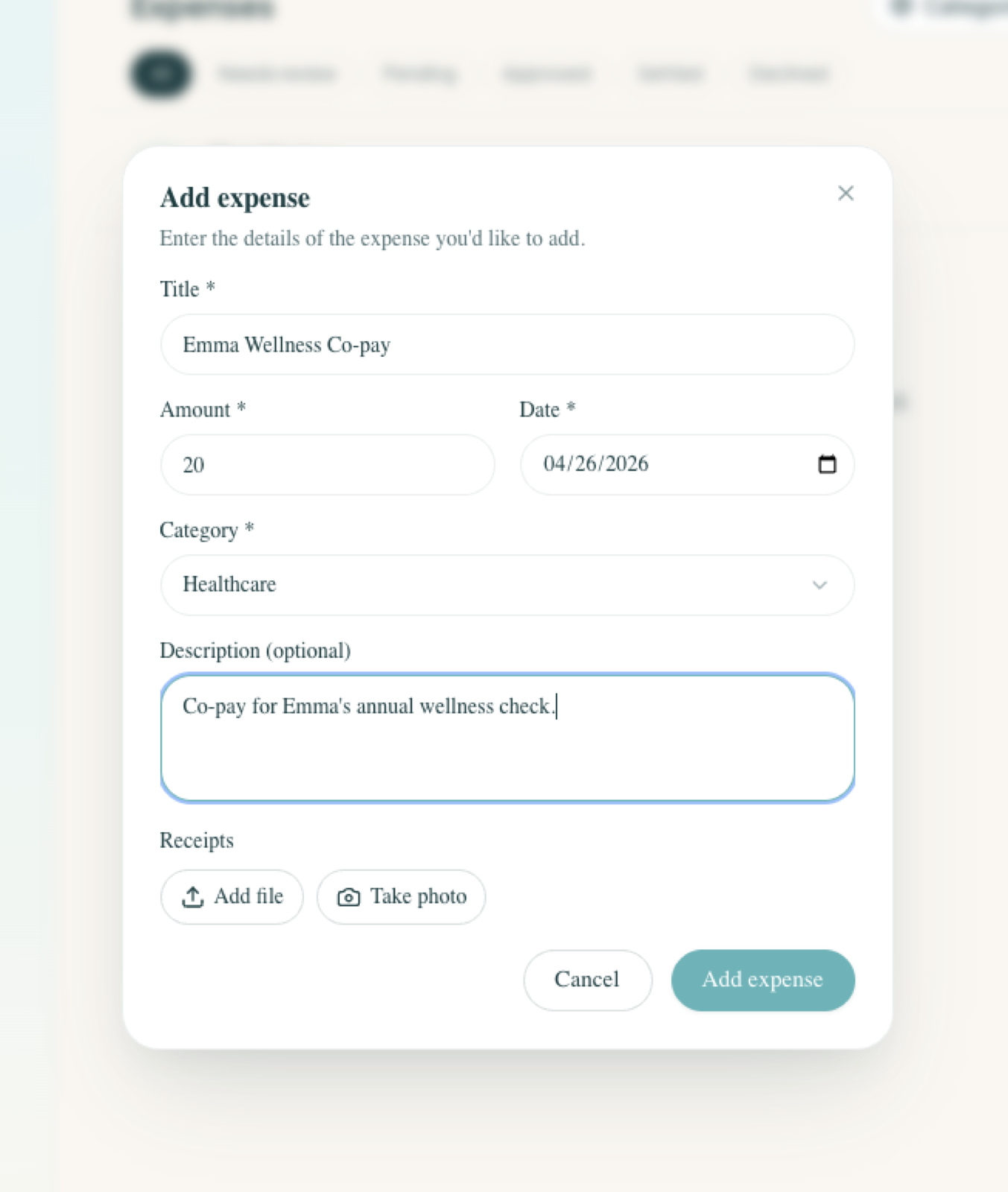
A running ledger, not a guessing game.
See balances at a glance. Mark expenses approved, reimbursed, or disputed — with a clear audit trail for every change.
- Live balance — who owes whom, right now
- Approval, reimbursement, and dispute flows
- Full history per expense, exportable anytime
- Monthly summaries for your records
Frequently asked questions
Same numbers. Both parents.
Free while we're in early access. Set your split rules once and start logging — even if your co-parent doesn't join.